Private meeting notes for Mac
Great conversations.
Now with a memory.
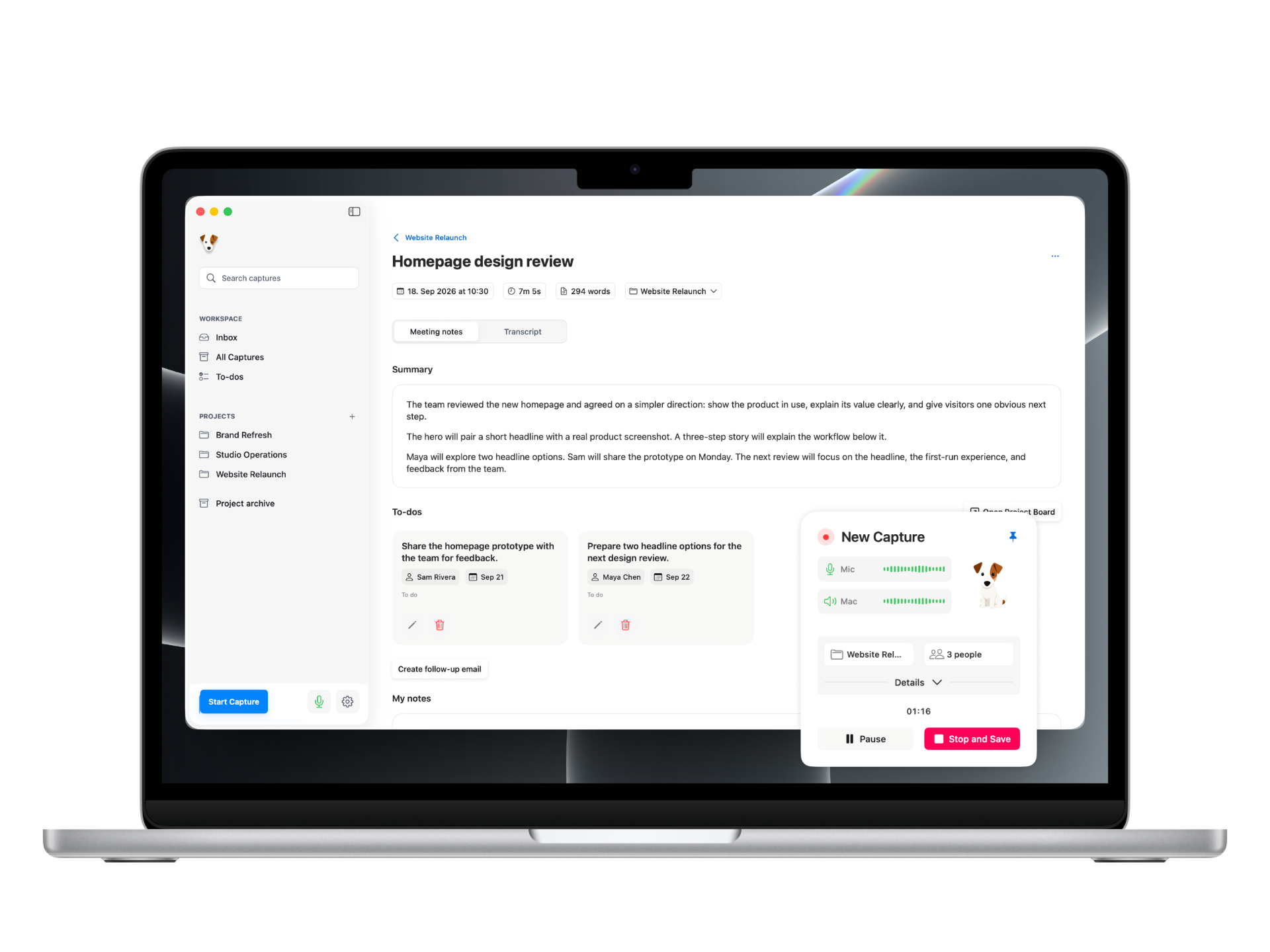
Get a live transcript, a clear summary, and suggested to-dos. Keep the useful next steps connected to your projects.
- Apple silicon
- 16 GB+ RAM
Turn conversations into clear notes and next steps for your projects. JackJack compares new to-dos with existing tasks. You decide what moves forward. No cloud processing. Just your Mac.
- No meeting bot
- No saved live audio
- Local AI, no cloud
- No AI subscription
In the moment
Be there.
JackJack takes notes.
The good questions. The unexpected ideas. The details that matter. Give them your attention while JackJack captures the conversation on your Mac. No bot to invite.
From conversation to action
Good talk.
Clear next steps.
Get a clear summary and suggested to-dos. Review them, make changes, and keep what’s useful. Spend less time piecing the meeting back together and more time moving things forward.
2× speed · Waiting time shortened
Built around your projects
Pick up where
you left off.
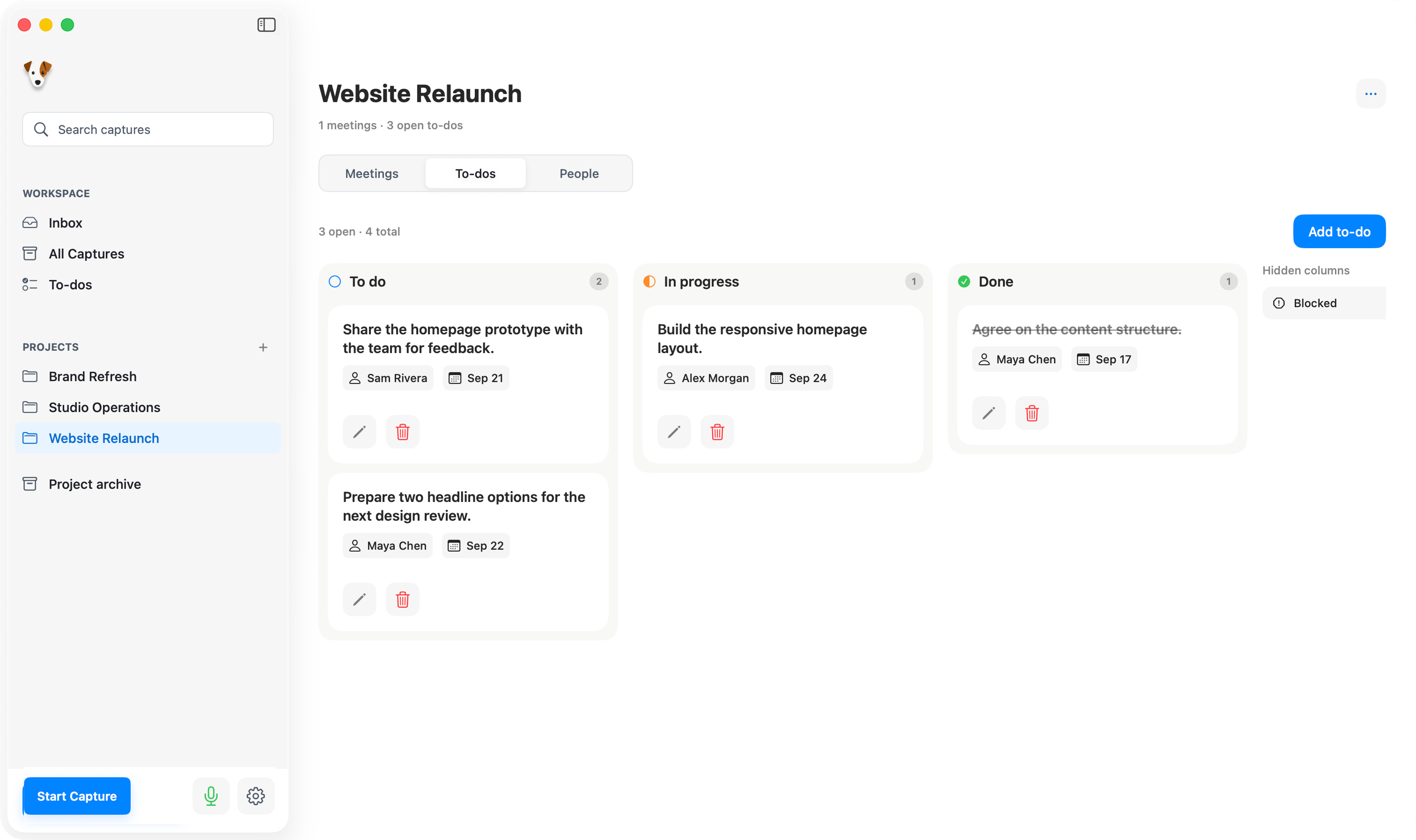
Your next meeting starts with context. Keep conversations and confirmed to-dos together in each project. JackJack compares new suggestions with existing tasks. Review what’s new, what changed, and what’s ready to be completed — then choose what to keep.
JackJack suggests. You decide.
The details matter
Your words.
Just right.
Highlight a word. Make it yours. Correct names, fine-tune terminology, and choose what JackJack remembers for future meetings — in this project or across them all. Right on your Mac.
Processed on your Mac
Your conversations.
Your knowledge.
Your Mac.
For normal live meetings, JackJack transcribes audio in memory without creating an audio file. Transcripts, summaries, and suggested to-dos are processed on your Mac. No meeting bot. No cloud AI. No API key or AI subscription.
Right at home.

Open files. Open possibilities.
Your knowledge.
Yours to keep.
Your notes live as readable Markdown files in a folder you choose. Open them in Obsidian, bring them into another workflow, or use them with your AI tools. They’re yours, even if you move on from JackJack.
# Website Relaunch

## Summary
The homepage is ready for review.
The visual direction is agreed.

## Next steps
- [ ] Review homepage
- [ ] Select product images

The team behind JackJack
Designed by Tommy.
Everything else by Balu.

Tommy Haacke
Designer.

Balu
Everything else.
Good questions.
A few things to know.
How do I try JackJack?
JackJack is currently available as a Mac beta through Apple TestFlight. Open your invitation on your Mac, install TestFlight, then install JackJack. Send feedback through TestFlight to help improve the next release.
What are the system requirements?
A Mac with Apple silicon (an M-series chip) and at least 16 GB of RAM. Intel Macs are not supported.
Does a bot join my meeting?
No. JackJack captures your microphone and, with the appropriate setup, audio from your Mac. There’s no bot to invite. Let everyone know you’re capturing the conversation and get any consent you need.
Does JackJack use cloud AI?
No. Transcription, summaries, and to-dos are processed locally on your Mac. Your meeting content isn’t sent to external AI providers.
Does JackJack save audio from my meetings?
For a normal live meeting, JackJack transcribes audio in memory without creating an audio file. You keep the transcript, notes, and next steps. Audio files you import are handled separately.
Do I need an API key or an AI subscription?
No. Transcription and meeting processing run locally, without an API key or an AI provider subscription. The TestFlight beta is free; the App Store release is planned as a one-time purchase, not a subscription.
Will JackJack change my project automatically?
No. JackJack proposes new to-dos and changes to existing ones. You can review, edit, or discard the suggestions. Project tasks change only when you confirm what to keep. You can confirm the remaining suggestions together; you don’t have to accept every card individually.
Can I keep using my notes without JackJack?
Yes. Your results live as readable Markdown files in a knowledge folder you choose. Open them in Obsidian or a text editor, reuse them in your workflows, or take them into another tool. Obsidian is optional, and the files remain yours if you stop using JackJack.
Is JackJack available on iPhone or iPad?
The current beta is for Mac. Open your TestFlight invitation on your Mac to get started.
Now in beta
Try JackJack.
In your next meeting.
Get the Mac beta through TestFlight. We’d love to hear how it works for you.
Join the TestFlight beta- Apple silicon
- 16 GB+ RAM